HTML5 Games Explained: How Browser Games Work
HTML5 games are games that run directly in a modern web browser without requiring a traditional software installation. They have become a convenient way to enjoy online games on computers, smartphones, and tablets because players can often start playing directly from a web page.
Unlike older browser games that relied on technologies such as Adobe Flash, modern browser games use web technologies supported by current browsers. This allows developers to create interactive gaming experiences that can be accessed across a range of devices.
What Are HTML5 Games?
HTML5 games are interactive games created with technologies available on the modern web. HTML, CSS, and JavaScript can work together to create the game's interface, controls, animations, sounds, and gameplay systems.
Many HTML5 games also use browser technologies such as Canvas and WebGL for rendering graphics. Because these technologies are supported by modern browsers, players generally do not need a separate browser plugin or traditional game player.
How Do Browser Games Work?
When you open an HTML5 game, the browser loads the files and resources needed to run it. These resources can include JavaScript code, images, audio, fonts, game data, and other assets.
The browser processes these resources and creates the interactive game environment. JavaScript can manage gameplay logic and player interactions, while HTML and CSS can be used for interface elements. Canvas and WebGL can handle much of the game's visual rendering.
The basic process is straightforward: open the game page, wait for the required resources to load, and interact with the game using a keyboard, mouse, touchscreen, or other supported input method.
HTML5 Games and Modern Browsers
Modern browsers support many of the technologies used by browser games, including JavaScript, HTML5 media, Canvas, and WebGL. This browser-based environment gives developers a way to build interactive experiences without requiring players to install a traditional desktop game client.
Browser games can also be designed with responsive interfaces so that the same game page can adapt to different screen sizes. However, compatibility and performance can vary depending on the game, browser, device, and available hardware.
Can HTML5 Games Work on Mobile Devices?
Many HTML5 games can be played on smartphones and tablets when they are designed to support touch controls and smaller screens. Responsive layouts can adapt the game interface to different display sizes, while touch input can replace traditional keyboard and mouse controls.
Not every browser game provides the same experience on mobile devices. Performance and usability can depend on the game's graphics, controls, resource requirements, and how its interface was designed for touch screens.
HTML5 Games vs. Downloadable Games
The main difference is how the game is delivered. A downloadable game normally requires the player to install an application or game client, while a browser game can be delivered through a web page.
Browser games can be useful when you want to start playing without installing a traditional game client. Downloadable games, however, can provide advantages for larger game installations, advanced graphics, offline functionality, and features that may not be practical in a browser environment.
Why Are HTML5 Games Popular?
HTML5 games offer several practical advantages for online players:
- Easy access: Many games can be started directly from a modern browser.
- No traditional installation: Players can often play without installing a separate desktop game application.
- Cross-device support: Games can be designed to work across desktop and mobile browsers.
- Quick gameplay: Browser games can be suitable for short gaming sessions as well as longer play.
- Wide variety: Browser games can cover genres such as action, racing, arcade, puzzle, sports, strategy, adventure, and 3D games.
What Technologies Are Used in HTML5 Games?
HTML5 games can combine several web technologies to create the final gaming experience.
HTML provides the structure for the web page and interface. CSS controls the appearance, layout, and presentation of interface elements. JavaScript handles gameplay logic, interaction, animation, and other dynamic functions.
Canvas is commonly used for rendering 2D graphics, while WebGL allows compatible browsers to render more advanced 2D and 3D graphics using the device's available graphics capabilities.
Games may also use additional web APIs and technologies for features such as audio, input handling, storage, networking, and fullscreen gameplay. The exact technologies used depend on the individual game.
Do HTML5 Games Require a Special Browser?
Most modern browsers support the core web technologies needed for many HTML5 games. Keeping your browser updated can help with compatibility with newer web standards and can also provide important security and performance improvements.
If a particular game does not work correctly, the problem may be related to browser compatibility, device performance, network conditions, blocked scripts, browser settings, or an issue with the game itself.
What Types of HTML5 Games Can You Play?
HTML5 technology can be used for many different types of games. Lightweight arcade games can use simple graphics and straightforward controls, while more advanced browser games can include physics, animation, detailed environments, and 3D graphics.
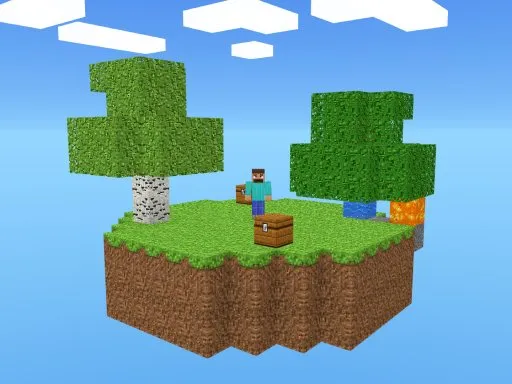
On CineAxo Games, players can explore a variety of free browser games across different genres, including action, racing, arcade, puzzle, sports, adventure, and 3D games.
Are HTML5 Games Free to Play?
HTML5 is a web technology rather than a pricing model, so HTML5 games can use different business models. Many browser games are available to play for free, while others may include advertising, optional purchases, subscriptions, or other monetization methods.
When a game is offered as a free browser game, players can generally access it through its web page without purchasing or installing a separate traditional game client.
How to Get the Best Browser Gaming Experience
For a smoother browser gaming experience, use an up-to-date browser and a stable internet connection. Closing unnecessary browser tabs and applications can also help when playing games that require additional system resources.
On mobile devices, a reliable connection and an up-to-date operating system and browser can help with compatibility. Performance will still vary according to the individual game and the capabilities of the device.
Are Browser Games Safe to Play?
Browser games use web pages and browser technologies, so players should follow the same basic safety practices they use when visiting other websites. Keep your browser and operating system updated, avoid downloading unknown files, and be careful with websites that request unnecessary personal information.
Playing a game directly in a browser does not automatically mean that every website or game is safe. The source of the game and the website providing it are important factors to consider.
Start Playing HTML5 Games Online
HTML5 has helped make browser gaming more accessible by allowing interactive games to run through technologies supported by modern web browsers. From simple arcade challenges to racing, puzzle, action, sports, strategy, adventure, and 3D experiences, browser games cover a wide range of gaming styles.
If you want to try browser games without downloading a traditional game client, explore the free games available on CineAxo Games and choose a category that matches your interests.